
Battlefield 2042: Fixing Unable to Load Persistence Data in 2026
Battlefield 2042 unable to load persistence data? Disable crossplay for a quick, proven fix to this stubborn error.
In 2026, Battlefield 2042 is no longer the fresh-faced recruit it was at launch. The live-service shooter has been patched, rebalanced, and argued over for years, yet one stubborn error can still make it feel like 2021 all over again: Unable to load persistence data. For Mara, a longtime player who dropped into the game after a long workday, the message did not just look like a warning. It sat on her screen like a smug bouncer, arms folded, refusing to let her into the online battlefield. Every mode, every progression unlock, every squad invite seemed to hang on that one failed handshake with EA's servers. She sighed. Not today.
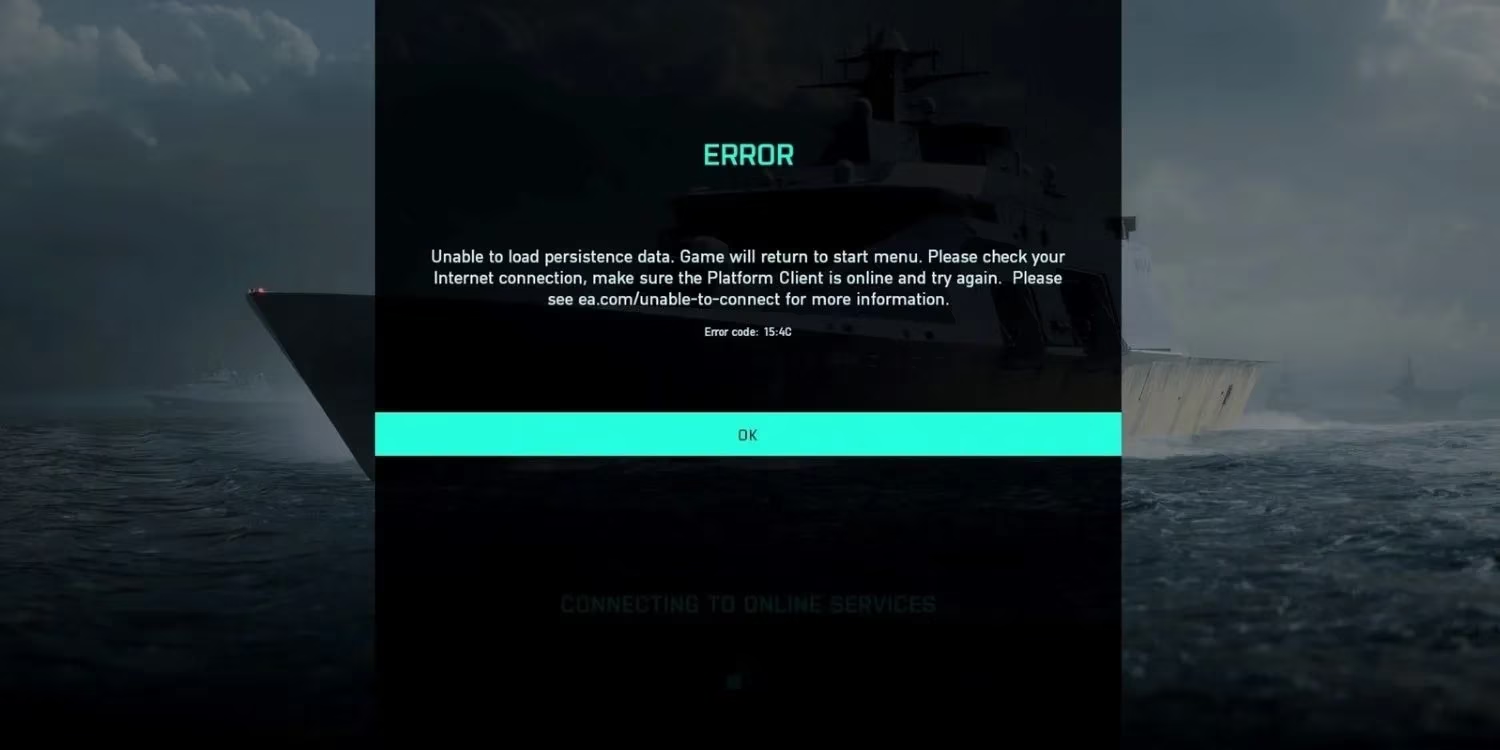
Before she declared war on her router, Mara did the sensible thing. She checked that Battlefield 2042 and its client were fully updated. She tested her internet connection, reset her wireless router, and even tried a different network. Then she looked up the official server status to see whether the problem was on her end or EA's. In 2026, live-service games still go down for maintenance, hotfixes, and unexpected outages. If the servers are already coughing, no amount of local troubleshooting will help. But her connection was clean, and the status page showed no known issue. So the bug was hers to fight.
Restart the Game, Then Restart the Machine
She started with the oldest ritual in PC gaming: turn it off and on again. But she did it properly. Instead of slamming Alt+F4, she exited through the in-game menu, opened Task Manager with Ctrl + Shift + Esc, and confirmed that Battlefield 2042 was not still lurking in the background. Only then did she relaunch it. No dice. The persistence error returned like a bad penny. Next, she closed the game and restarted her computer between launches. That extra step matters. A full reboot clears stale network sessions, background services, and whatever digital cobwebs had tangled themselves around the EA connection. If the error disappears after a clean restart, it was probably a one-time hiccup. If it stays, it is time for a stronger fix.
Disable Crossplay: The Common Cure
The most common community fix for the Unable to load persistence data bug is still disabling crossplay. It sounds strange, especially in 2026, when crossplay is treated as a standard feature. But Battlefield 2042 has always been a complicated machine, and cross-network matchmaking can sometimes trip over its own feet. On PC and PlayStation, Mara entered the main menu for her selected game mode, opened Options, navigated to the General tab, and found the Other section. There, the Crossplay toggle waited. She clicked Off. On Xbox, the path is different: press the Xbox button, open Settings, choose General, then Online Safety and Family. From there, go to Xbox Privacy > View Details and Customize > Communication and Multiplayer, and select Block under you can join cross-network play. Sure enough, after disabling crossplay, the persistence error lost its grip. The server finally shrugged and let her through.
A Quick Reference for Frustrated Players
| Symptom | Fix to Try | Why It Helps |
|---|---|---|
| Unable to load persistence data on first launch | Restart the game through the in-game menu, then check Task Manager | Closes hidden processes and clears a stale session |
| Error returns after relaunch | Restart your PC between game launches | Flushes network and background service conflicts |
| Error keeps blocking online play | Disable crossplay in settings | Avoids cross-network handshake problems |
| Nothing works | Check updates, internet, router, and server status | Rules out local faults and EA outages |
What 2026 Players Should Remember
Battlefield 2042 is available on Xbox Series X and S, PlayStation 4, PlayStation 5, Xbox One, and Microsoft Windows. In 2026, the game is older, but its community is still alive, still complaining, and still finding workarounds. The Unable to load persistence data bug may not be as widespread as it was in the early days, yet it can resurface during major updates, seasonal events, or server strain. When it does, players should resist the urge to reinstall the entire game as a first step. Try the simple fixes first: update, restart, reboot, and disable crossplay. If the error persists, report it to EA support and check community threads for fresh reports. Sometimes the fix changes; sometimes the old tricks still work.
Honestly, there is something almost funny about a futuristic war game being stopped by a persistence check. Tanks, jets, storms, and specialists with wild gadgets, all of it paused by one line of text. But Mara eventually loaded into a match. The screen filled with smoke, gunfire, and the familiar chaos of a squad pushing an objective. She smiled. The error had done its worst. It had not won. ...
Comments